FinNode logo
Desktop Project Navigator

Your projects,
always within reach

A draggable node board that lives on your desktop. Launch projects, run macros, trigger shortcuts β€” all without breaking your flow.

Rust + Tauri
Svelte
Cross-platform
scroll
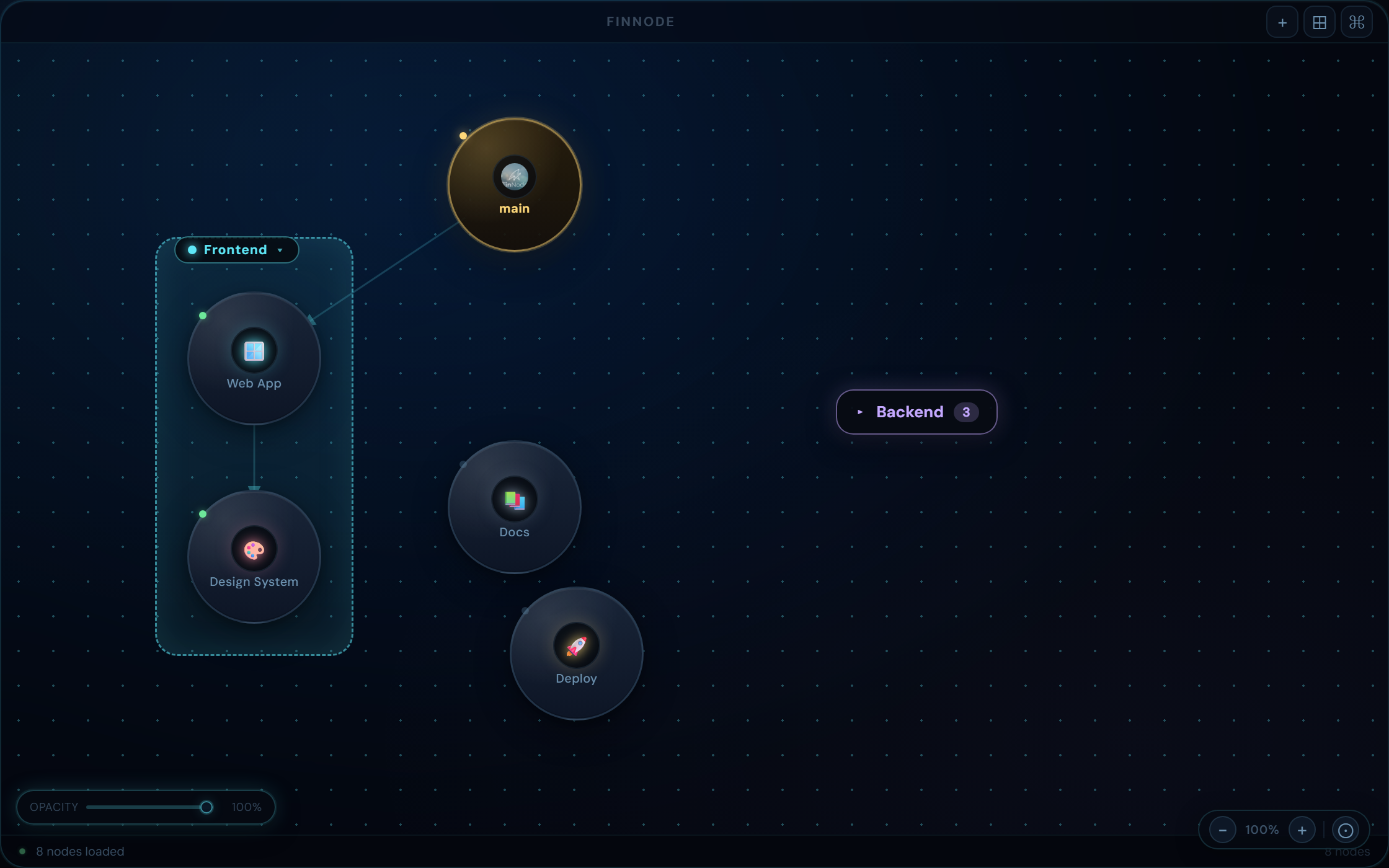
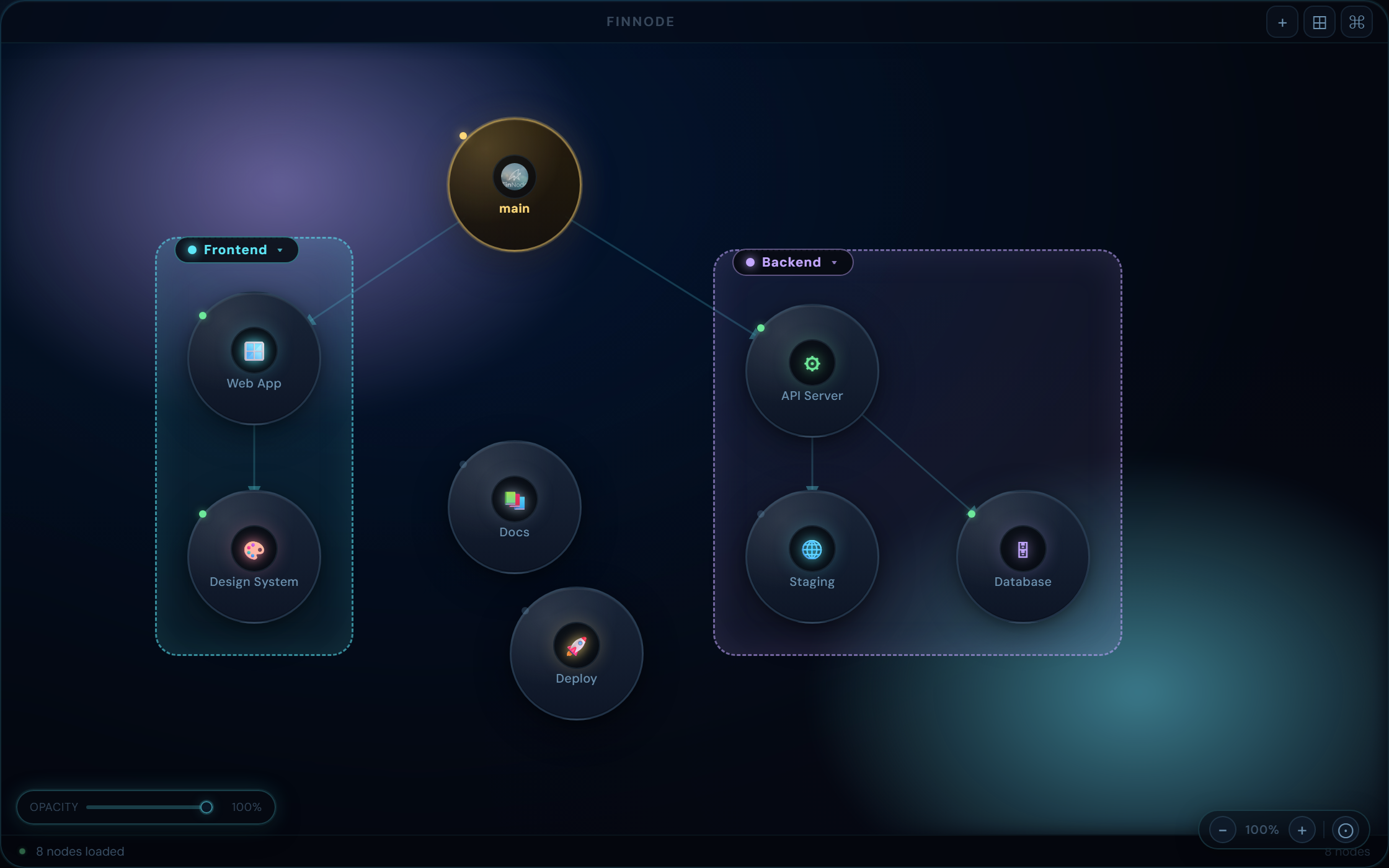
FinNode β€” Node Board
FinNode node board overview

Everything your workflow needs

One app to navigate projects, trigger actions, and automate repetitive tasks across your desktop.

πŸ—‚

Multi-workspace Boards

Organise projects into workspaces. Each workspace has its own node graph with custom links and targets, so your contexts never mix.

⚑

One-click Launch Targets

Open paths, editors, browser URLs, or run shell scripts straight from a node. Configure each target once, trigger it instantly.

πŸ”

Sequential Macro Engine

Chain actions into macros β€” type text, fire shortcuts, open apps, add delays. Automate workflows without leaving your desk.

⌨

Shortcut Recorder

Record any key combination or chained sequence visually. FinNode normalises modifier ordering and stores sequences ready to replay.

πŸ”

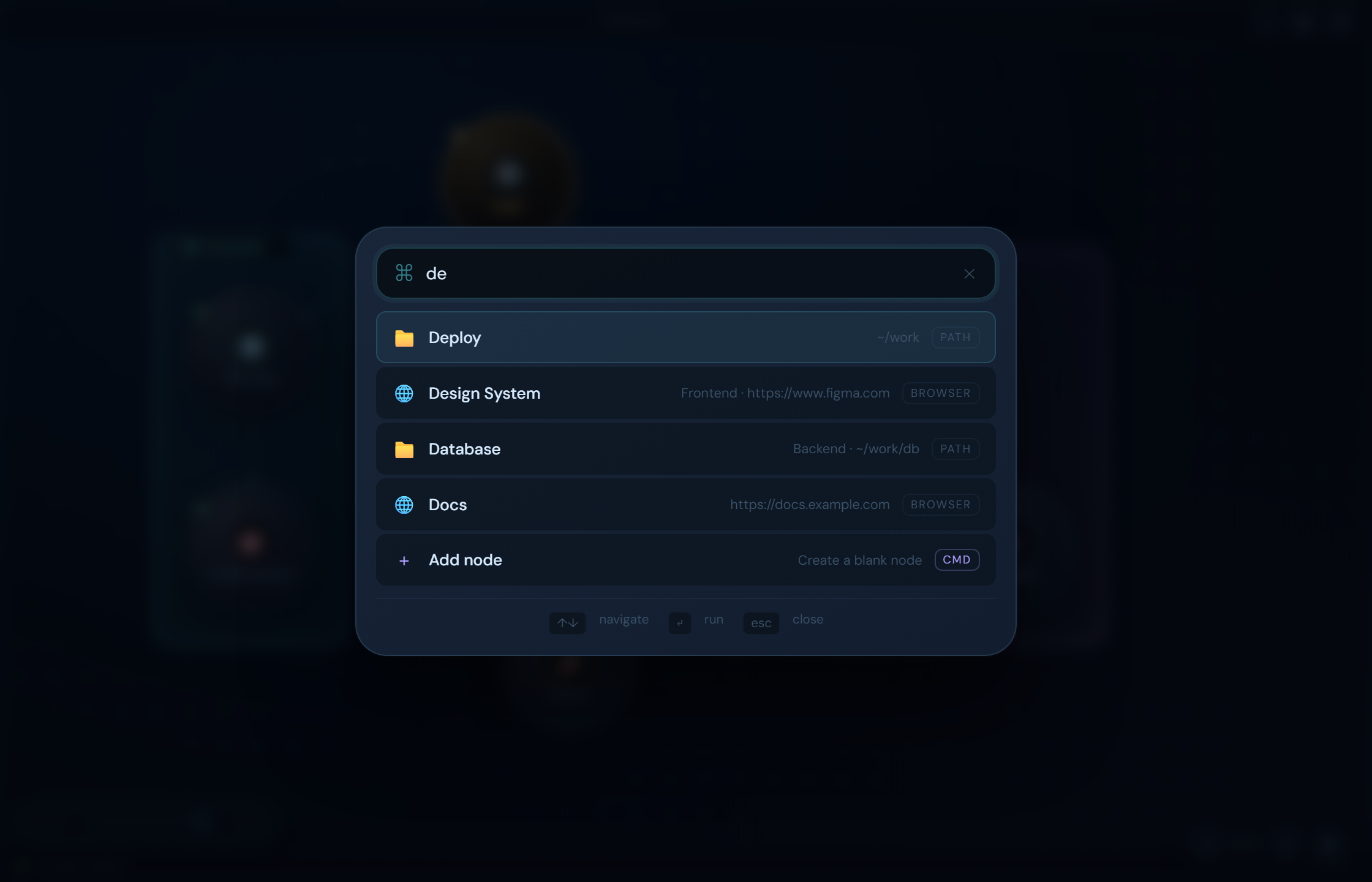
Quick Launcher

Summon the launcher with Alt+Space or Ctrl+K from anywhere. Search nodes and fire actions without touching the board.

πŸ“Œ

Persistent Overlay Board

The desktop board remembers its size and position across restarts. Move, resize, and it stays exactly where you left it.


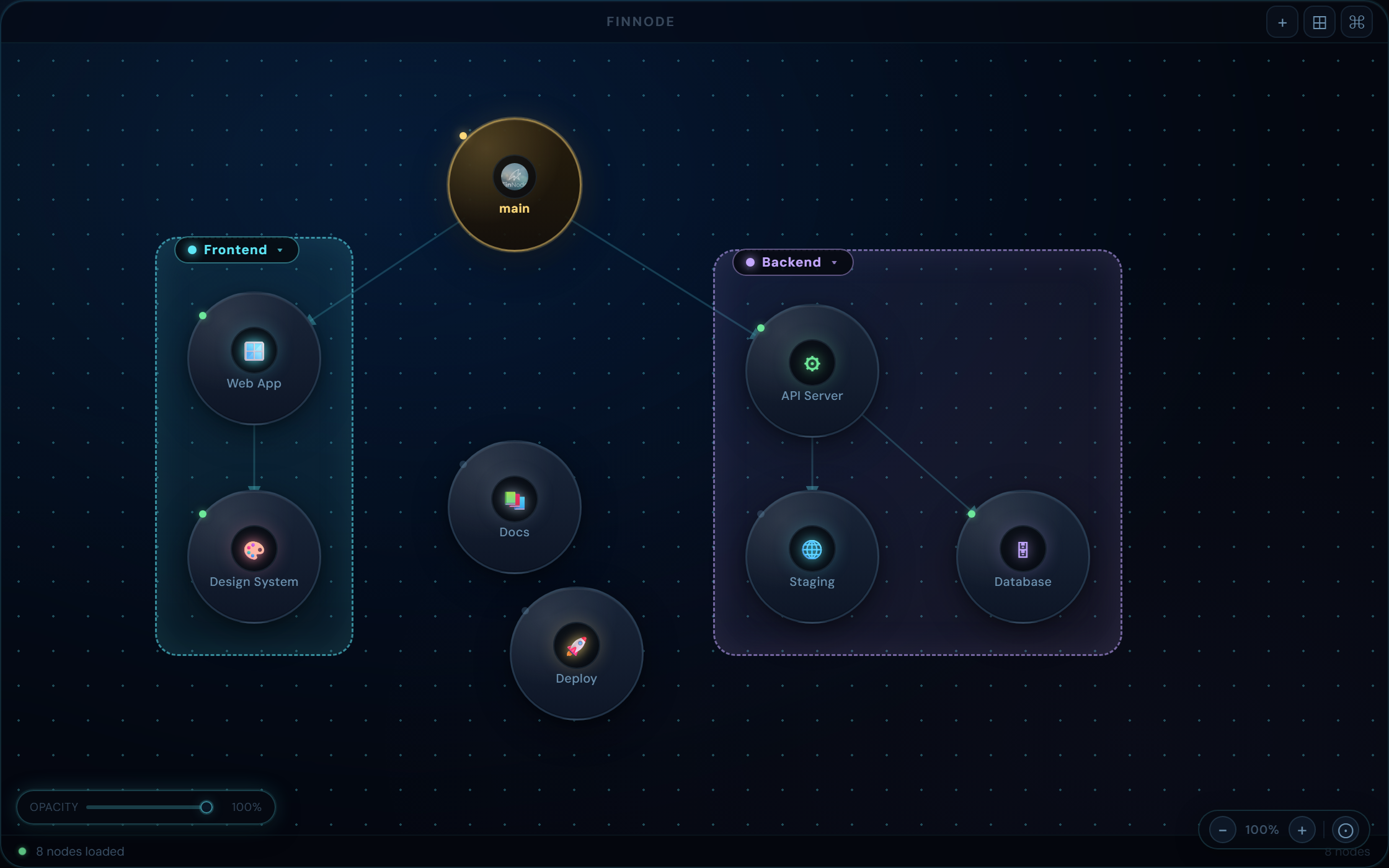
A visual map of your work

The draggable board overlays your desktop at a low z-order so it's always accessible without getting in the way. Nodes link to targets; the SVG graph renders connections live as you work.

  • β†’Draggable, resizable transparent overlay
  • β†’SVG link rendering with live connections
  • β†’Click-through mode outside node bounds
  • β†’Auto-layout and node cloning support
FinNode desktop overlay board

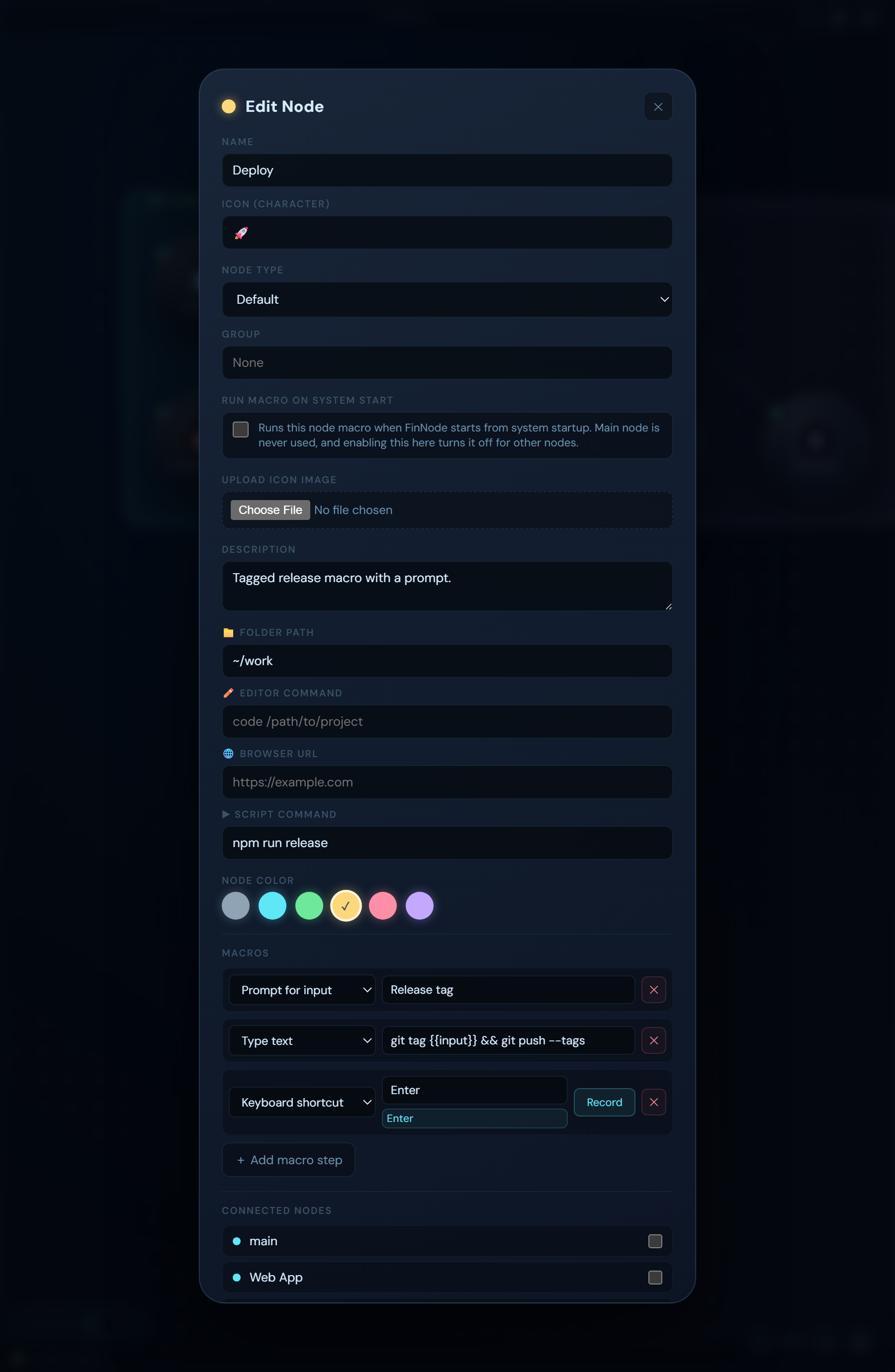
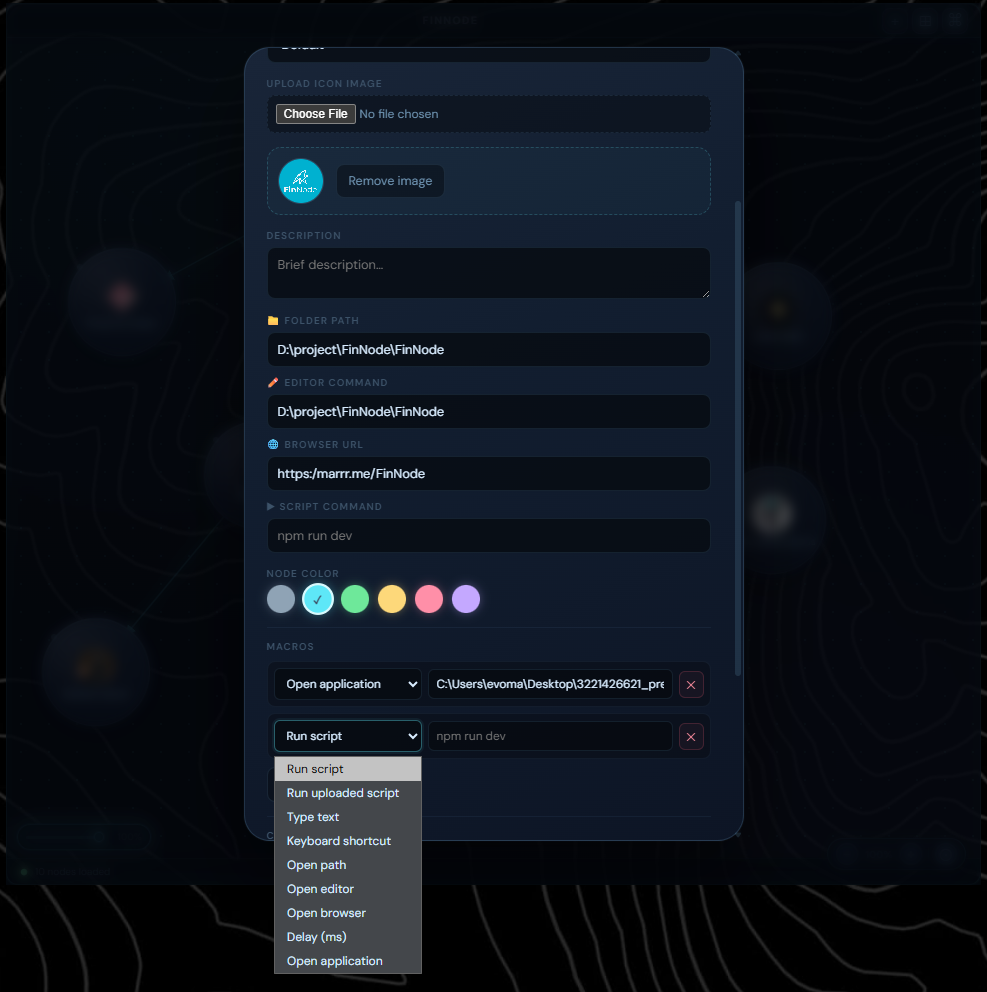
FinNode macro editor

Automate any sequence of actions

Build step-by-step automation chains that execute in order. Mix input simulation, file operations, and application control in a single macro.

run-scriptExecute shell commands or uploaded script files
type-textSend keystrokes to the currently focused window
keyboard-shortcutFire key combinations or chained chord sequences
open-path / browserOpen files, folders, or URLs with OS defaults
open-applicationLaunch any application by command
delayInsert timed pauses between steps (ms)

Record shortcuts visually

Click Record, press your combination, and FinNode captures it. Chain multiple chords for VS Code–style sequences. Modifiers are normalised automatically.

Recorded sequence
Ctrl+K , Ctrl+C
1Press Ctrl+K β€” starts sequence
2Press Ctrl+C β€” appends next chord
β– Press Esc or click Stop to finish
FinNode shortcut recorder

Runs where you work

Native desktop app built with Tauri. One codebase, three platforms β€” each with full input automation support.

🐧

Linux

GTK/WebKit native. Input automation via xdotool and wtype. X11 and Wayland supported.

Available
πŸͺŸ

Windows

WebView2 powered. Shortcut injection via SendKeys. Cross-compile from Linux supported.

Available
🍎

macOS

Native WebKit. Automation via osascript + System Events. Full modifier combination support.

Available

Always one click away

FinNode lives in your system tray. The settings window can be hidden without quitting β€” pick it back up whenever you need it.

πŸ‘

Stealth Mode

Hide all FinNode UI from the desktop in one toggle

πŸ–±

Click-Through

Pass clicks through the board to windows behind it

πŸ“‹

Show Nodes

Toggle visibility of desktop nodes instantly

πŸš€

Start on Boot

Enabled by default β€” FinNode is ready when you are

Control from anywhere

Registered system-wide shortcuts work even when FinNode is hidden. No need to switch windows to trigger your workflows.

Toggle stealth mode
Alt+S
Toggle click-through
Alt+I
Toggle quick launcher
Alt+Space
Quick launcher (in-app)
Ctrl+K

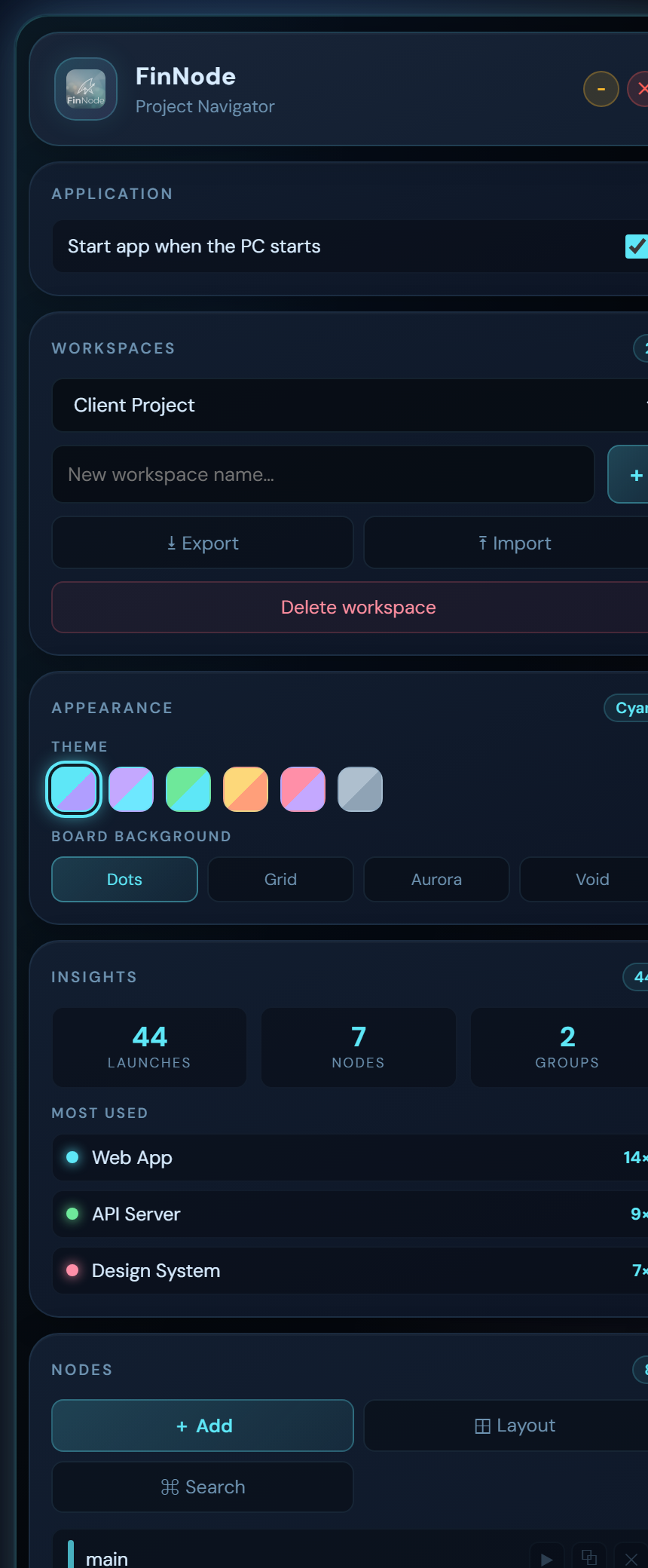
A clean control centre

Manage workspaces, edit nodes, configure macros, and tweak app settings β€” all in the dedicated settings window.

FinNode β€” Settings
FinNode settings window

Ready to take control?

Download FinNode for your platform and spend less time navigating, more time building.

Open source Β· Built with Tauri + Rust Β· MIT License